
Workforce tracking
Log time, location, and activity updates so managers always know who is on site and what is complete.
Manage projects, teams, schedules, worker-submitted invoices, and reports from mobile devices with a secure platform available on iPhone and Android.
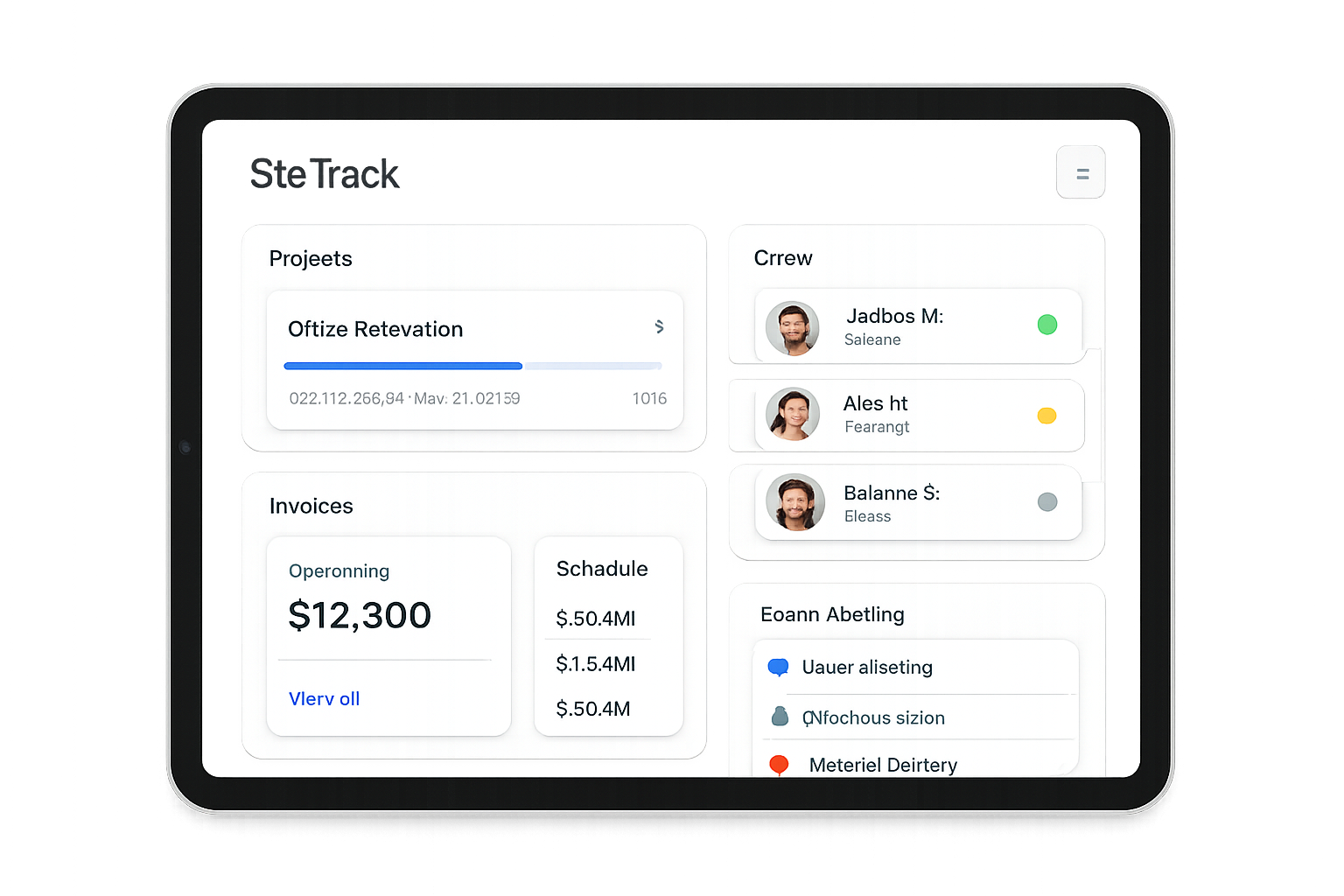
Features
SiteTrack keeps field teams aligned and projects profitable with mobile-first tools built for painters, builders, and maintenance crews.
Log time, location, and activity updates so managers always know who is on site and what is complete.
Coordinate scopes, photos, and checklists in one view to keep jobs moving from estimate to closeout.
Let employees submit internal invoices and expense claims to the company for review and approval — not for charging end customers.
Track productivity, job costs, and progress trends with export-ready reports.
Assign crews in seconds and update calendars instantly when priorities shift.
Centralize roles, permissions, and performance notes to keep teams accountable.
Give crews a simple mobile workspace to capture updates, signatures, and job photos from anywhere.
PRICING
Choose a plan that matches your operation. Every tier includes mobile access, secure cloud sync, and a clear audit trail for compliance across iOS and Android.
Essential tools for small teams getting started with workforce tracking and project visibility.
Advanced scheduling, invoicing, and reporting for growing service businesses.
Full team management and operational oversight for larger field teams and multi-project workflows.
Support
Clear guidance for both iOS and Android users about SiteTrack, subscriptions, and support so teams can get started with confidence.
Need more help?
Visit the Support section for FAQs, troubleshooting tips, and detailed subscription guidance.
Go to SupportEffective date: May 7, 2026. This Privacy Policy explains how SiteTrack collects, uses, and protects information when you access the SiteTrack website and mobile application. It is written to support publication and compliance for both the Apple App Store and Google Play, with clear, professional disclosure of our data practices.
SiteTrack stores data using secure cloud infrastructure with industry-standard encryption in transit and at rest. Access is limited to authorized personnel and monitored for security compliance. We retain account data while your subscription is active and as needed to comply with legal obligations. You may request deletion as described below.
SiteTrack subscriptions may be purchased and managed through the Apple App Store or Google Play. Payments are processed securely by the applicable platform provider, and we do not store or process payment card information directly. Apple or Google maintains your billing details and controls subscription management, renewals, and cancellations in accordance with their respective terms.
Subscriptions automatically renew unless canceled at least 24 hours before the end of the current billing period. You may manage or cancel subscriptions at any time through your Apple ID Settings or Google Play account settings. Restore Purchases is available through Apple or Google Play if you reinstall the app or change devices.
SiteTrack does not store payment card information on its servers. All payment transactions are handled by Apple App Store or Google Play in-app billing.
Users may request account deletion and data removal by contacting support. To request account deletion, email [email protected] with your account email and company name. We will verify your request and delete or anonymize data within applicable legal and operational requirements.
SiteTrack is intended for business use and not directed to children under 13. We do not knowingly collect personal information from children. If we learn that such data has been collected, we will delete it promptly.
We may update this Privacy Policy to reflect changes in our services, legal requirements, or security practices. We will post the updated policy in this section and adjust the effective date above.
If you have questions about privacy, data handling, or Apple and Google Play billing policies, contact SiteTrack support at [email protected].
Account Deletion
You can permanently delete your SiteTrack account directly from within the app at any time. Follow the steps below to remove your account and associated data.
Step 1 — Open Profile Settings
Open the SiteTrack app and go to your Profile tab. Tap Profile Settings.
Step 2 — Scroll to the Danger Zone
Scroll to the bottom of the Profile Settings screen. You will find the Delete Account button in the Danger Zone section.
Step 3 — First Confirmation
Tap Delete Account. A dialog will appear asking you to confirm. Tap Delete Account to proceed to the next step.
Step 4 — Type “DELETE” to Confirm
A second confirmation dialog will appear. Type the word DELETE in the field provided, then tap Delete Permanently to confirm your intention.
Step 5 — Account Removed
Your account is permanently deleted immediately. You will be automatically signed out and redirected to the login screen.
If you are an Admin (company owner):
Deleting your account permanently removes:
If you are an Employee / Subcontractor:
Deleting your account permanently removes:
Account deletion is immediate and irreversible. There is no grace period or recovery window. Once confirmed, all data is permanently erased from our servers and cannot be restored.
If you have an active subscription through the Apple App Store or Google Play, deleting your account does not automatically cancel your billing. You must cancel your subscription separately through:
If you are unable to access the app or need assistance deleting your account, contact us at [email protected] and we will process the deletion manually within 7 business days.
LEGAL
These Terms of Use govern your access to and use of the SiteTrack mobile application and related services (the “Service”). By downloading, accessing, or using SiteTrack, you agree to these Terms and our Privacy Policy. If you do not agree, do not use the Service.
Last updated: 2026-05-07
By creating an account, downloading the app, or using any part of the Service, you acknowledge that you have read, understood, and agree to be bound by these Terms and our Privacy Policy. If you do not agree, you may not access or use the Service.
SiteTrack offers subscription plans that renew automatically unless canceled. Subscriptions automatically renew unless you turn off auto-renewal at least 24 hours before the end of the current billing period. Your subscription will renew at the end of the billing period unless auto-renewal is turned off at least 24 hours before the end of the current period.
Payments are charged through Apple App Store or Google Play in-app billing, depending on your device. Charges are processed by the applicable platform account (Apple ID or Google Play account) at confirmation of purchase. Subscriptions and in-app purchases are managed by Apple or Google; SiteTrack does not store or access your full payment card details. Platform providers may update billing or tax requirements, and you agree to comply with their terms and billing policies.
You may manage or cancel subscriptions at any time through Apple ID Settings or Google Play Subscriptions, depending on your device. Cancellation takes effect at the end of the current billing period. To request account deletion, contact us at [email protected]. Deletion requests are handled according to our data retention and legal obligations.
If you reinstall the app or switch devices, you can restore eligible purchases using the “Restore Purchases” feature in the app or the applicable app store account tools for iOS or Android. If restore fails, contact our support team for assistance.
SiteTrack, including all software, branding, and content, is owned by SiteTrack or its licensors. You are granted a limited, non-exclusive, non-transferable license to use the Service for your internal business purposes.
SiteTrack is provided “as is” and “as available,” and users are responsible for how they manage projects, workers, schedules, and invoices within the platform. We do not warrant that the Service will be uninterrupted, error-free, or secure. Data accuracy is dependent on user input and device connectivity.
To the maximum extent permitted by law, SiteTrack will not be liable for any indirect, incidental, special, or consequential damages, or loss of profits, revenues, data, or business opportunities arising out of or related to your use of the Service.
We may suspend or terminate access to the Service if you violate these Terms or use the Service in a manner that could harm us or other users. You may stop using the Service at any time.
We may update these Terms periodically. If changes are material, we will provide notice through the app or other reasonable means. Continued use after changes become effective constitutes acceptance of the updated Terms.
These Terms are governed by the laws of the jurisdiction where SiteTrack is established. Insert governing law and venue details applicable to your business.
For support or questions about these Terms, contact [email protected].
Support
Get fast help for your mobile workforce, subscriptions, and billing on iOS or Android. Our support team responds quickly and keeps your data secure while resolving issues.
Manage upgrades, downgrades, and cancellations in the App Store or Google Play. Subscriptions and renewals are handled by Apple or Google based on your device.
On iOS, open SiteTrack > Settings > Subscription > Restore Purchases. On Android, open SiteTrack > Settings > Subscription > Restore from Google Play and confirm the same Google account.
If restoration doesn’t complete within a few minutes, contact us and include your Apple ID or Google account email (never your password).
Prefer email? Contact [email protected] and include your company name, device type, and a short issue summary.
Visit the FAQ section for billing, team setup, and troubleshooting guidance.
Tell us what’s happening and a specialist will respond. For urgent subscription questions, include your Apple or Google transaction details if available.